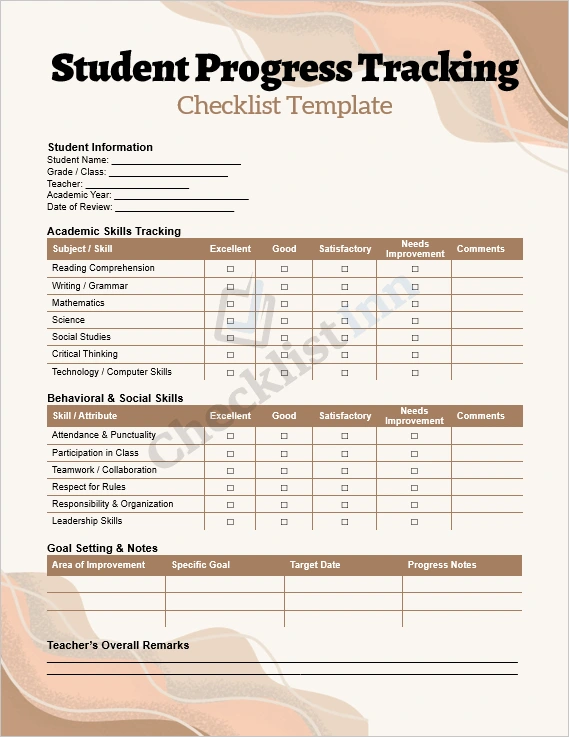
Keep your classroom organized and track student growth like a pro with this fully editable Student Progress Tracking Checklist template for Microsoft Word. Perfect for teachers, tutors, and educational coordinators, this template helps you monitor academic performance, behavior, and social development — all in one place.
What’s Included:
- A clean, professional Word (.docx) template
- Sections for student information (name, class, teacher, date)
- Academic skills tracking (subjects + skill areas)
- Behavioral and social skill evaluation (participation, teamwork, responsibility, etc.)
- Goal-setting table with space for specific objectives, target dates, and progress notes
- Teacher’s overall remarks section
- Parent/guardian feedback area
Why Use It:
- Save Time: No need to build a tracker from scratch — simply download and start using it.
- Easy to Customize: Since it’s in Word, you can modify headings, add or remove skill areas, and tailor it to your grade level or school system.
- Structured Monitoring: The checklist format makes it simple to rate progress at recurring intervals, helping you spot trends or areas of concern.
- Engagement with Parents: Use the parent/guardian feedback section to involve families in their child’s progress.
- Goal-Oriented: The goals table enables you to set, review, and adjust improvement goals — promoting continuous growth.
How to Use It:
- Download the .docx file.
- Open it in Microsoft Word (or compatible software).
- For each student, duplicate the sheet (or create separate files) so you have a fresh tracking form.
- Fill in student info, then regularly assess and rate their skills.
- Update the “Goal Setting” section as needed based on observations.
- Share summaries with students, parents, or during parent-teacher meetings.
Who Is It For:
- Classroom teachers (primary, middle, or high school)
- Tutors and learning support staff
- Special education teachers
- School administrators and counselors
Benefits at a Glance:
- Streamlines student progress tracking
- Makes teacher-parent communication easier
- Helps set and refine personalized growth goals
- Supports data-driven decision-making in teaching
Tips for Best Use:
- Make a master copy of the template and keep it unchanged; always use duplicate copies for individual students.
- Set a regular review schedule (e.g., monthly, quarterly), so progress tracking remains consistent.
- Use comments in Word to note specific incidents or achievements.
- Use conditional formatting (if you're comfortable) to highlight students who need intervention.